Archive
March Madness Costs Businesses $1.8 Billion
According to an article in the Orange County Register, The NCAA Men’s College Basketball tournament (aka March Madness) will cost businesses an estimated $1.8 billion dollars in lost productivity. This is where the URL filtering capabilities of Microsoft Forefront Threat Management Gateway (TMG) 2010 shine! With integrated URL filtering enabled, security administrators can simply configure an access rule allowing limited access to the Sports category (perhaps during the lunch hour only) or perhaps even block the category completely. The result will be improved productivity and significant network bandwidth savings during the tournament.

RunAs Radio Interview – Episode #147
Recently I had the opportunity to chat with Richard Campbell and Greg Hughes at RunAsRadio.com about Microsoft Forefront Threat Management Gateway (TMG) 2010. Each week Richard and Greg interview technology specialists such as Steve Riley, Mark Minasi, Clint Huffman, and Stephen Rose, just to name a few. We talked at length about TMG, and also discussed Microsoft Forefront Unified Access Gateway (UAG) 2010 and some of the other Forefront Security Suite products. Visit RunAsRadio.com to download episode #147 and listen today!

TMG Management Console for 32-Bit Windows
Forefront Threat Management Gateway (TMG) 2010 runs exclusively on 64-bit Windows Server 2008 or Windows Server 2008R2. This means you will not be able to install the TMG management console included with the installation media on any 32-bit Windows machine. What if you wish to manage your TMG firewalls from a 32-bit Windows operating system? The answer is simple. Download the 32-bit version of the TMG management console. After registering, click the download link and then download the file TMG_ENU_Management_x86.exe. Now you can manage your TMG firewalls from a 32-bit Windows desktop or server operating system!

Forefront Threat Management Gateway (TMG) 2010 Best Practices Analyzer
The Microsoft Forefront Threat Management Gateway (TMG) 2010 Best Practices Analyzer is now available. Download it today!
Remote Performance Monitoring and Forefront Threat Management Gateway
Recently I encountered an issue when after installing and configuring Microsoft Forefront Threat Management Gateway 2010 (TMG) I was unable to gather performance data remotely. I found this puzzling because I was able to perform other management tasks such as connecting remotely with RDP and the TMG management console without issue. Since my management workstation was a member of the Remote Management Computers network object for the array, I assumed that I would have sufficient access to perform this task. Looking at the access logs revealed something interesting; traffic on TCP port 445 from my management workstation was being denied.
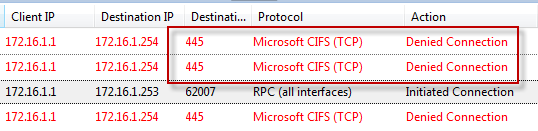
Upon reviewing the system policy I noticed that the Remote Performance Monitoring policy was not enabled. I’ve never had to enable this rule in the past to collect performance data remotely, but I tried enabling it anyway just for good measure.
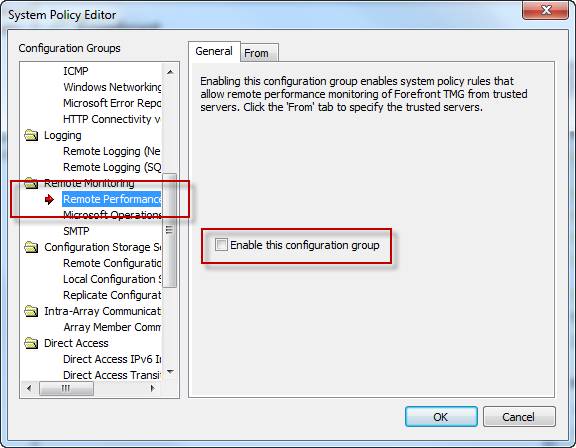
Enabling this system policy rule did not resolve my issue, and the access log still showed my CIFS traffic being denied. A closer look at this rule shows that only NetBIOS protocols were included, not CIFS.

Under normal circumstances, enabling this rule isn’t required if you have the Allow remote management from selected computers using MMC system policy rule enabled (it is enabled by default). What made this situation unique, and ultimately caused the communication failure, was that NetBIOS over TCP/IP was disabled on all network interfaces.
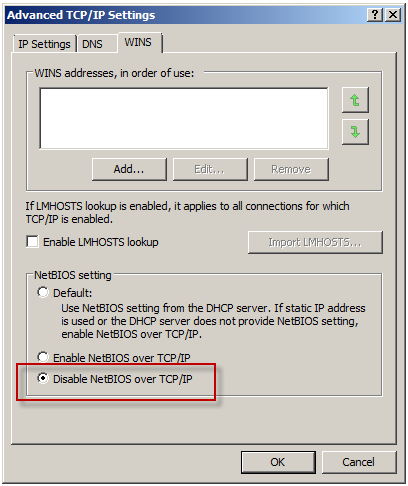
To understand why monitoring performance remotely fails when NetBIOS over TCP/IP is disabled requires an understanding of Server Message Block (SMB) communication. SMB is an application-layer protocol that uses TCP for transport layer communication. In Microsoft operating systems prior to Windows 2000, all SMB communication took place over NetBIOS, which in turn ran on top of TCP/IP using the familiar TCP port 139. Beginning with Windows 2000, SMB runs directly on top of TCP/IP using TCP port 445. In Windows 2000 and later, the default behavior of SMB communication is to attempt to communicate directly over TCP/IP using TCP port 445 first, then if there is no response, an attempt to use NetBIOS over TCP/IP is made using TCP port 139 (provided NetBIOS has not been explicitly disabled). The performance monitor utility (perfmon.exe) communicates in exactly this way. Since NetBIOS over TCP/IP was disabled, communication only takes place over TCP port 445. In the absence of an access rule allowing Microsoft CIFS (TCP) inbound to the local host, the communication fails.
This issue can be resolved in several ways. First, enabling the Allow remote management from selected computers using MMC or the Allow remote performance monitoring of Forefront TMG from trusted servers system policy rule and enabling NetBIOS over TCP/IP on the network interface will resolve the issue. Since disabling NetBIOS over TCP/IP was required by security policy in this case, creating an access rule allowing Microsoft CIFS (TCP) inbound to the local host from Remote Management Workstations was the best choice.

Another option is to enable the Allow access from trusted servers to the local configuration storage server system policy rule, as this rule allows Microsoft CIFS (TCP) protocol inbound to the local host.

This may not be desirable because the rule includes additional protocols that aren’t required for remote performance monitor data collection, and increases exposure of services running on the TMG firewall needlessly.
Microsoft Customer Experience Improvement Program (CEIP)
The Customer Experience Improvement Program was created by Microsoft to allow the collection of information about how customers use their programs. Participating in the program allows you to effectively contribute to the design and development of Microsoft products. The program is purely elective and you can choose to opt out of the program at any time.
After installing Forefront Threat Management Gateway (TMG) 2010, open the management console and you will see a link inviting you to learn more about the program.
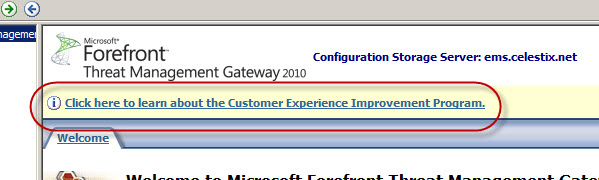
Clicking the link will present a dialog box where you can select the option to participate or not.
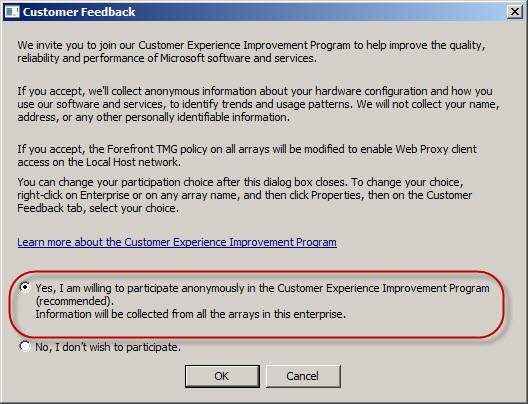
I would strongly encourage everyone to opt in to this program. Doing so will provide Microsoft with valuable information that will ultimately lead to a better product with more features. Microsoft will not be contacting you, nor will you receive unwanted e-mail or be asked to participating in any surveys. If you are concerned with information disclosure, please read the CEIP privacy statement.
If you haven’t done so already, please join in! Come on, support the team. Everyone will benefit!
Publishing Microsoft Exchange 2010 with ISA Server 2006
If you are considering publishing Microsoft Exchange 2010 web clients (Outlook Web App or ActiveSync) I would strongly encourage you to read this highly detailed blog post on the subject posted recently by the Exchange Team. Of course Forefront Threat Management Gateway (TMG) 2010 includes native support for Exchange 2010 web clients, but if you plan to upgrade your Exchange infrastructure prior to migrating to TMG then this document should be considered necessary reading.
Microsoft and Celestix TMG/UAG Lunch and Learn Sessions
I am pleased to announce that Microsoft, along with my employer Celestix Networks, will be hosting a series of ‘Lunch-n-Learn’ meetings at Microsoft offices on the west coast in January 2010. If you are interested in hearing more about Microsoft Forefront Threat Management Gateway, Unified Access Gateway, and the Celestix hardware appliance platform, you are invited to attend one of the following sessions:
January 20, 2010 – Bellevue, Washington
January 21, 2010 – Irvine, CA
January 26, 2010 – Portland, OR
Click here for more information and to register for an event near you. Hope to see you there!


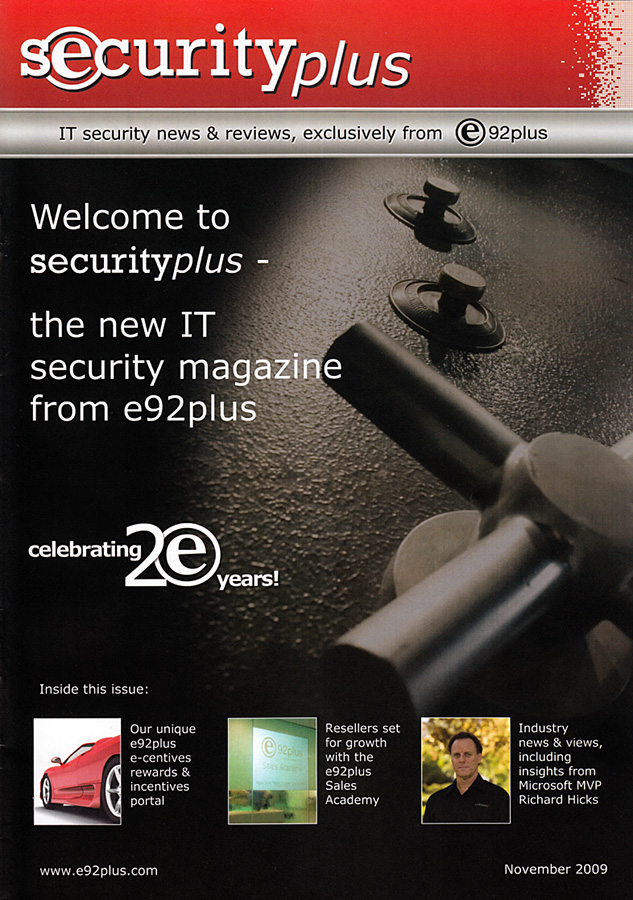
Re-perimeterization Article for e92plus Reseller Magazine
Recently I was asked to write an article for the new reseller magazine produced by e92plus, a large security products distributor based in the U.K. In this article I discuss a concept known as ‘re-perimeterization’ (sometimes referred to as de-perimeterization). This is an idea that has been talked about for years, and the new Network Inspection System (NIS) functionality included with Forefront Threat Management Gateway (TMG) can make this a reality. Read the article here [PDF].
Microsoft ISA Server 2004/2006 Migration to Forefront Threat Management Gateway (TMG)
Jim Harrison and Mohit Saxena discuss Forefront Threat Management Gateway (TMG) migration strategies with David Tesar in this video on TechNet Edge.

Connect


 Richard Hicks' Forefront TMG Blog